


Train Browser Agents With BrowserEnv
We've partnered with Browserbase to build the best training experience for browser and computer use agents. Browserbase provides scalable browser infrastructure that has already powered work at labs, including Microsoft's Fara-7B and Google's Gemini 2.5 CUA. With Browserbase, we've made that same infrastructure available to everyone.
Live Web Training
Most browser agents today are trained on static datasets rather than live web interactions. As a result, models that perform well on benchmarks fall apart when they hit real pages with dynamic content, pop-ups, and layouts they've never seen. Training against real websites requires running browsers at scale, managing sessions, handling anti-bot protections, and verifying task completion. BrowserEnv takes care of all of this so you can focus on your model and your tasks.
The Full Stack
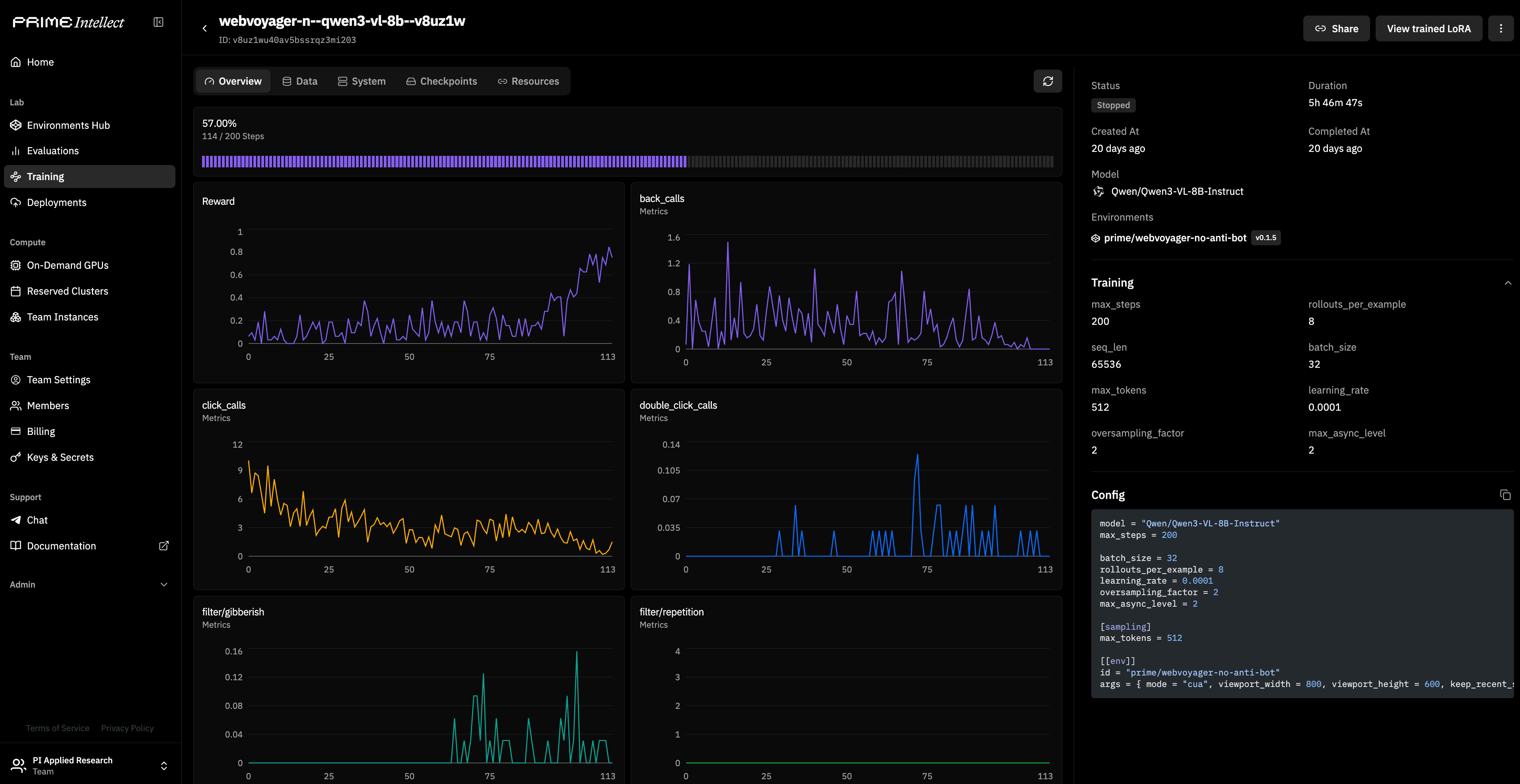
To prove out the full stack, we fine-tuned Qwen3-VL-8B-Instruct on 600 real web tasks from the WebVoyager benchmark, training it to navigate, search, and extract information from live sites like Amazon, GitHub, and Allrecipes. The training run and the environment are both on the Hub and fully reproducible, with a full guide here.
Two Modes: CUA and DOM
BrowserEnv supports two modes, and which one you pick depends on your model. CUA mode is for vision-language models: the agent sees screenshots and acts through screen coordinates. DOM mode is for text-only models: the agent works through Browserbase's Stagehand SDK, which provides a subagent that takes the full DOM context and performs actions without the main agent needing to process images. Both modes run on the same Browserbase infrastructure and work with the same datasets and evaluation rubrics.
Your Own Runs
You can start with the example environments we've built out, or jump straight into WebVoyager for a real benchmark. From there, you can extend any environment for your own tasks, such as custom websites, internal tools, or product specific workflows. Bring your own model, pick an environment, and start training. More info, docs, and guides at BrowserEnv.com.
export BROWSERBASE_API_KEY=your-browserbase-key

uv pip install verifiers[browser]
prime eval run browser-cua-example